Resolve conversations with AI and humans in one inbox.
See live messages, AI replies, execution logs, routing, customer details, tags, notes, and human takeover in one view.
app.interaone.app / shared inbox
Deploy AI agents alongside your team in one inbox — powered by real-time knowledge, live across every channel, self-hosted or cloud.
Self-hosted by design
Run the complete InteraOne stack on infrastructure you control.
Self-host InteraOne





Omnichannel Support
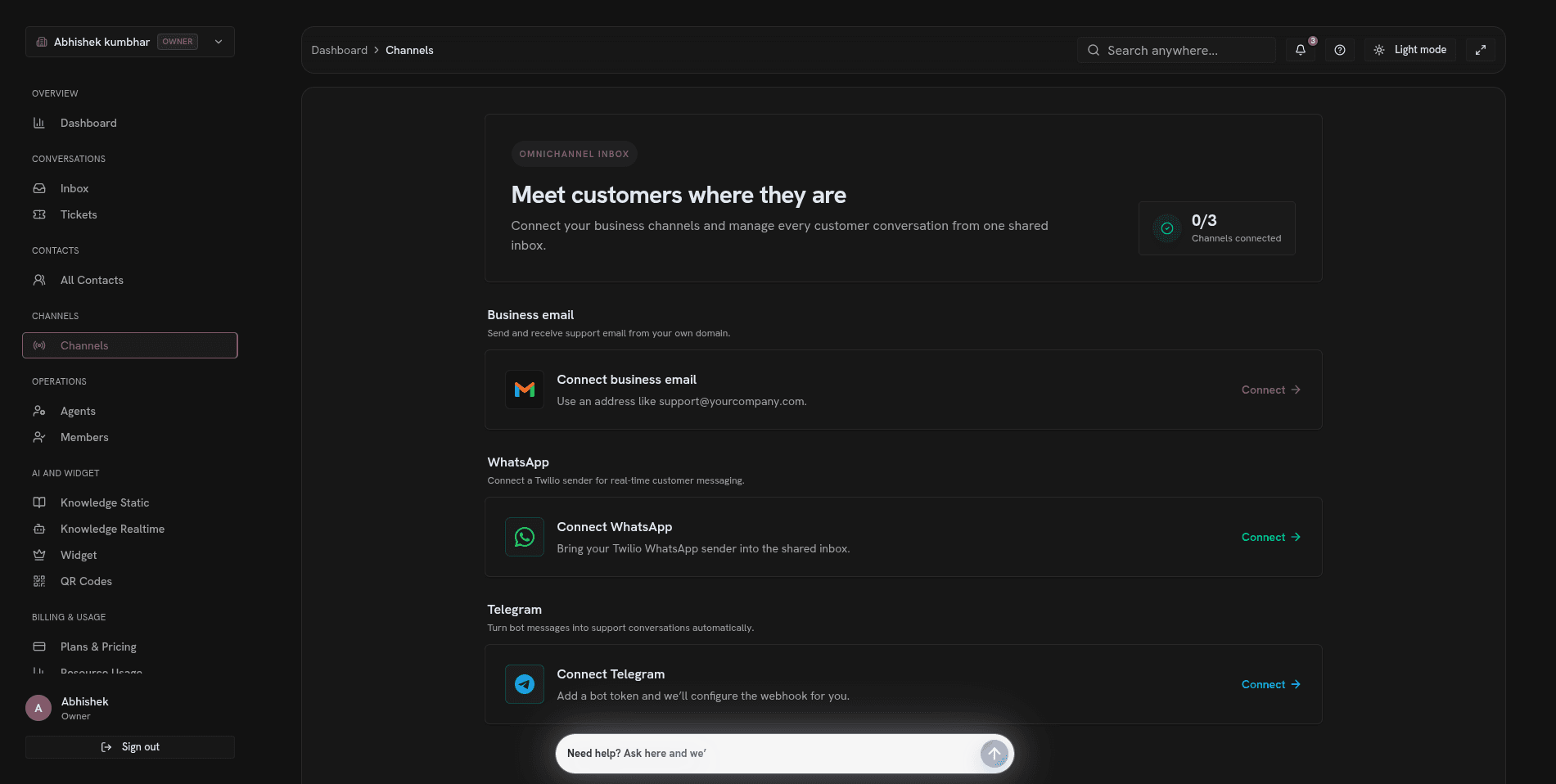
The channel screen connects email, WhatsApp, Telegram, and your in-product AI agent so every message reaches the same support operation.
Unified support workspace
The inbox, contact profile, and ticket record share the same customer, conversation, and AI context from first message to final resolution.
See live messages, AI replies, execution logs, routing, customer details, tags, notes, and human takeover in one view.
See live messages, AI replies, execution logs, routing, customer details, tags, notes, and human takeover in one view.
Filter contacts, review identity and activity, manage tags, inspect AI sentiment, and keep notes with the relationship history.
Keep status, priority, contact, ownership, tags, and activity in one record so every issue has a clear path to resolution.
Human control
Invite teammates, assign roles, route live conversations, and take over AI-handled threads from the same console.
The members view keeps teammates, invitations, and workspace roles visible so access and ownership stay explicit.
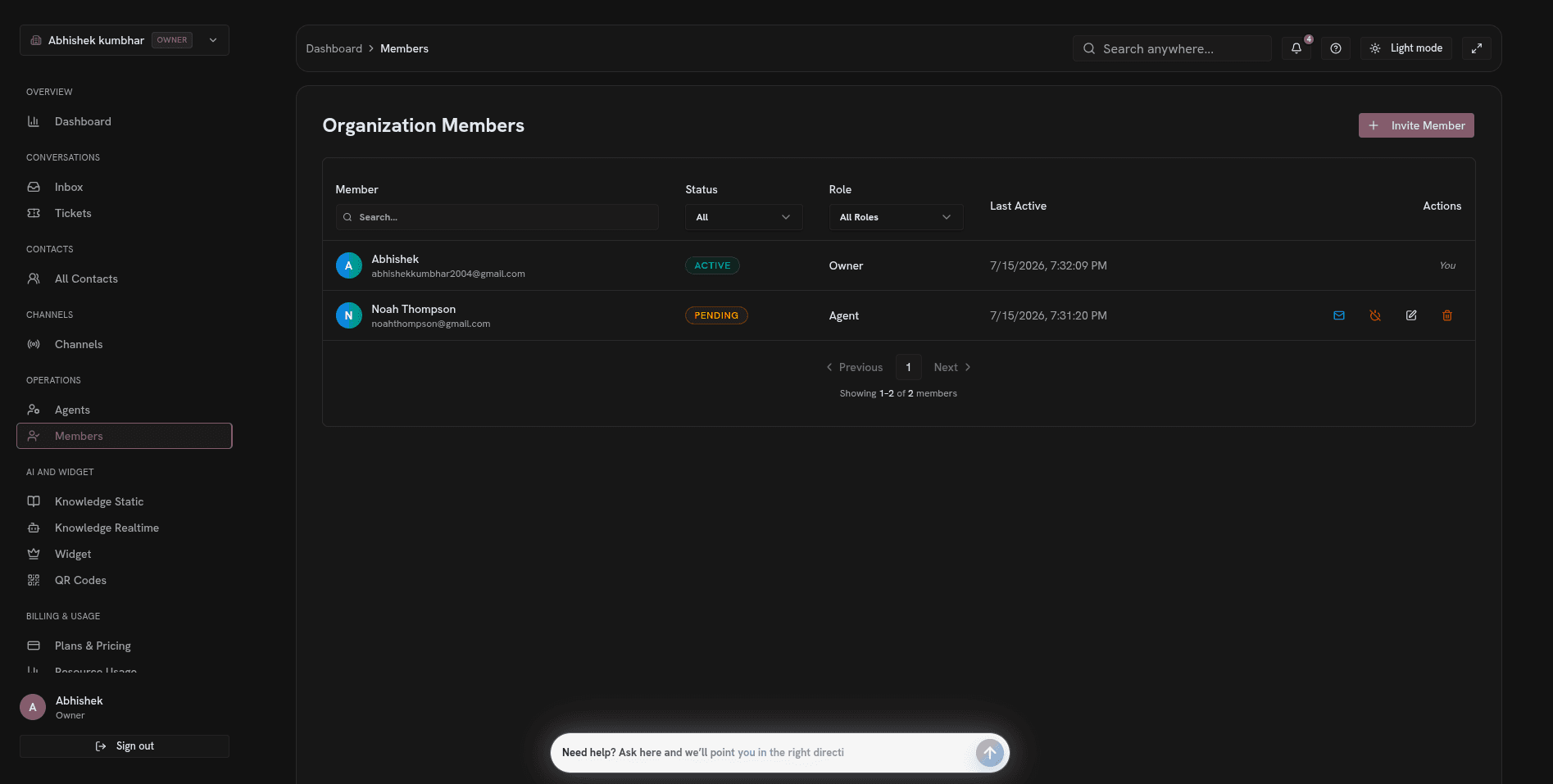
The members view keeps teammates, invitations, and workspace roles visible so access and ownership stay explicit.
The inbox keeps the customer profile, tags, AI insights, notes, and full transcript visible while your team replies.
Use one AI agent and shared context across every channel, conversation, contact, and ticket.
Create and manage support work across conversations, contacts, and tickets.
Route or take over live conversations without dropping history or customer context.
Track conversations, resolutions, users served, escalation rate, AI usage, and message volume.
Bring in-product support, email, WhatsApp, and Telegram conversations into one shared operation.
Keep identity, tags, sentiment, notes, activity, and conversation history in one customer record.
Track status, priority, contact, ownership, tags, and activity from intake through resolution.
Deploy the gateway, console, AI service, background workers, and data services with Docker.
Run InteraOne as a complete open-source stack: gateway, console, AI orchestration, background workers, and an in-product support agent.
Deploy the API gateway, admin console, AI service, background workers, and customer-facing support agent with Docker on infrastructure you control.
Route AI workloads across OpenAI, Google, AWS Bedrock, and Hugging Face while using Qdrant for grounded retrieval.
Real-time messaging, Redis-backed queues, MongoDB, and object storage keep channel events, AI processing, and team workflows moving through one system.
The result
An open-source support stack your product team can extend, your security team can inspect, and your operations team can run.
More ways in
The QR screen creates a branded code and direct URL customers can open from packaging, stores, campaigns, email, or help centers.
Copy a ready-to-share support URL for email, campaigns, help centers, or product surfaces.
Generate a QR code for packaging, stores, events, and other printed customer touchpoints.
Add your organization logo and send every scan into the same AI support agent.
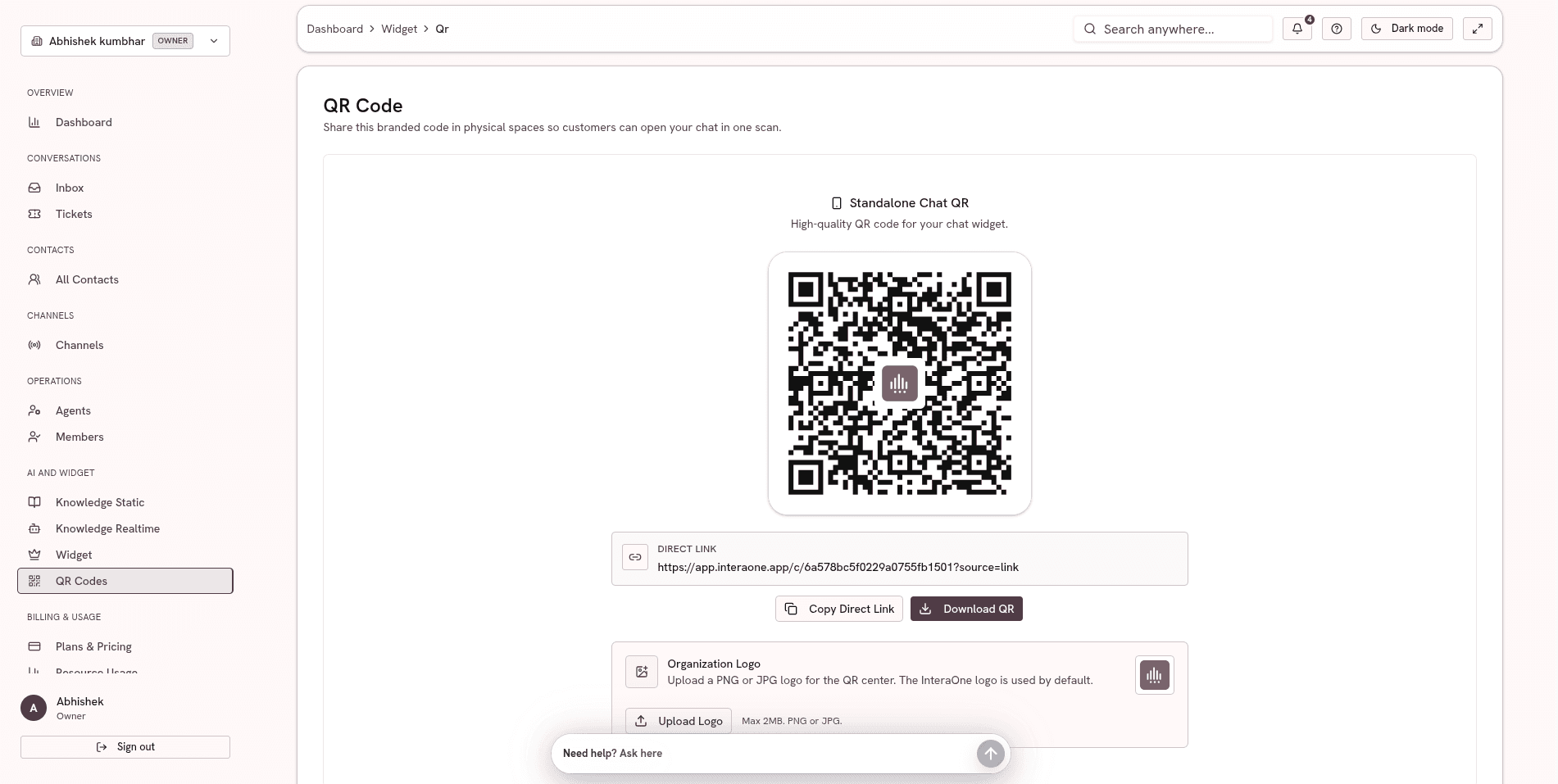
Copy the direct URL or download the branded QR code, then place it wherever customers need immediate access to your AI support agent.
Deploy the AI agent, omnichannel inbox, RAG knowledge, ticketing, contacts, and human handoff as one support stack.
AI Agent for your product